UFA Handbook Watch
What changed in Odyssey's Utah Fits All handbook, and when.
Utah Fits All (UFA) Scholarship Program Appeals Process
Change history
- new +388 Aug 27, 2026
Current text as recorded
Parents or scholarship students may appeal program eligibility determinations for the following administrative decisions:
- Residency Documentation
- Income Documentation
- Military Documentation
Timeline
- Appeal must be submitted within 15 business days of receiving the adverse decision
- Odyssey has 15 business days to respond
Process
Step 1: Request an Appeal
Contact the Odyssey Support Team via the Support form to request an appeal. Please ensure you include the following information in your request:
- Student name and applicant email address
- Decision being appealed and date of decision
- Reason for appeal
- Requested resolution
The Odyssey Team will review the request and determine if the situation qualifies for an appeal. If it does, they will create an appeal on your behalf.
Step 2: Log In to Parent Portal
After requesting an appeal from our support team and receiving confirmation that an appeal has been created, please log in to your Odyssey Parent Portal. Please note that if you wish to appeal for more than one student, you must request an appeal for those additional students.
Please select [Student Profiles] to be rerouted to the appeals portal.
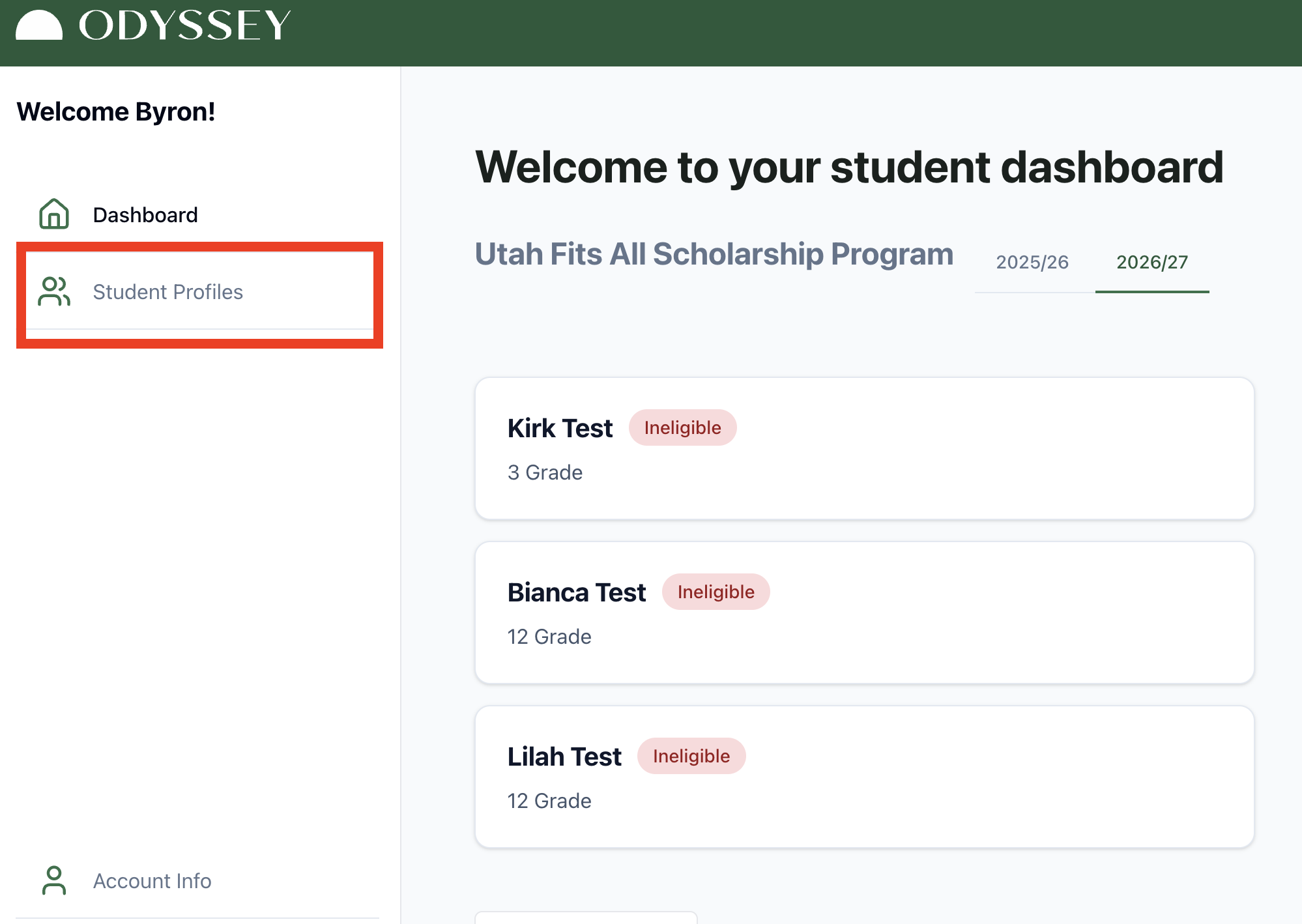
Step 3: Begin Appeal
Once you have selected the specific student you requested to appeal for, please select [Complete Appeal].
Step 4: Start Appeal Form
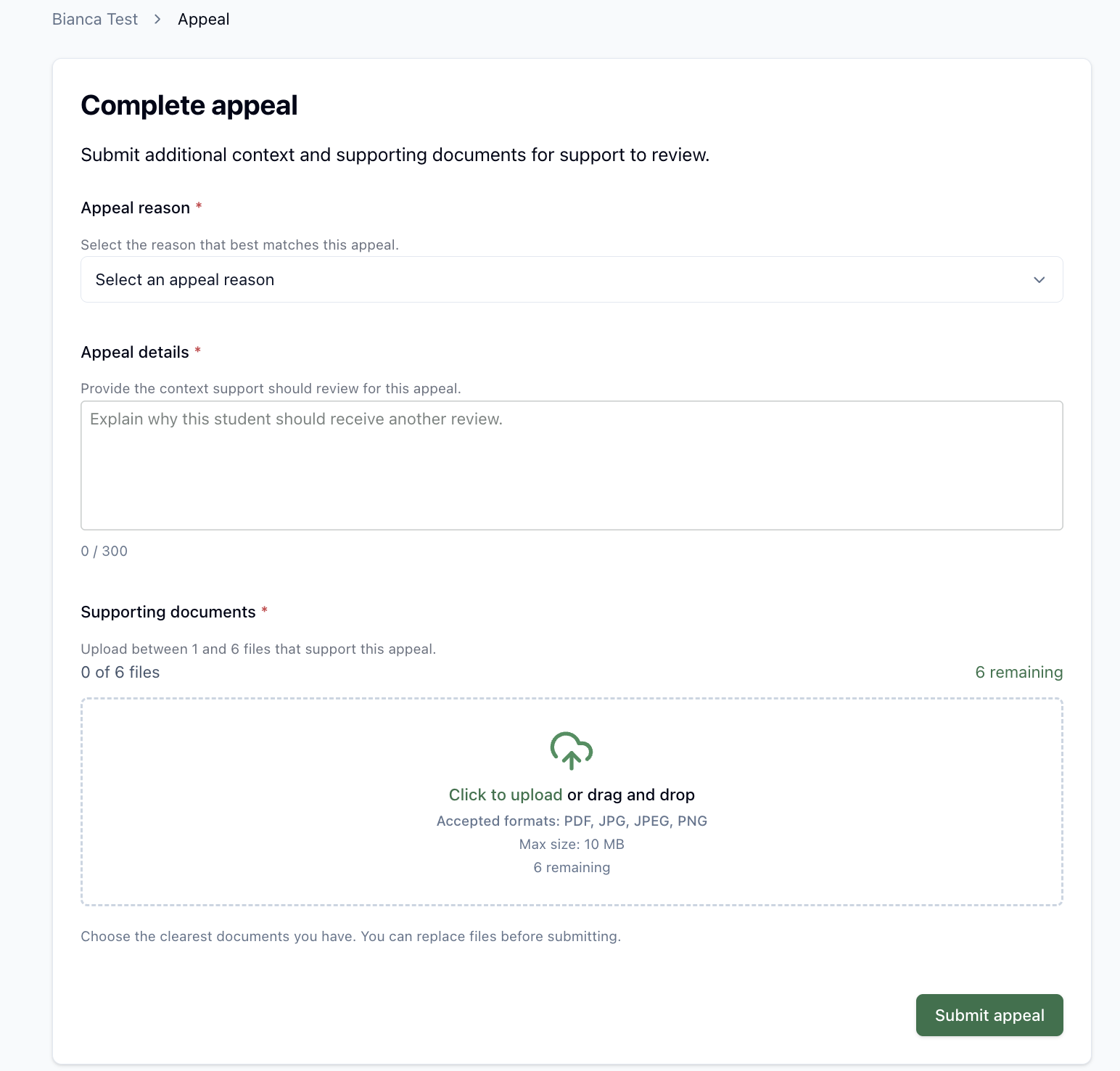
Step 5: Select Reason for Appeal
The picture below shows all the reasons for appeals. If you are unsure which reason is applicable, please ask our customer support team.
Step 6: Provide Appeal Details
At this step, you will be requested to provide a brief explanation of why the student should receive additional review.
Step 7: Provide Additional Documents
At this step, you must provide additional documentation that supports the appeal reason.
Step 8: Submit Appeal
Once all the necessary documents have been uploaded to the appeal form and you have reviewed that the information is correct, please submit the appeal.
Once submitted, you will receive a notice in the right-hand corner of your screen that it has been submitted. Please note that all appeals have a 15-day review window. If you have any additional concerns or questions, please feel free to contact our customer support
A response will be provided in writing to the email address on the application.
Note: Scholarship funds will not be available pending appeal resolution.